The DAWN Mini Loggers include the following telematics options:
|
 |
GPS
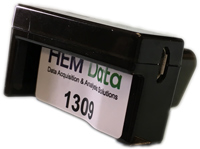
The GPS (Global Positioning System) receiver and antenna are conveniently located within the Mini Logger. This is a major accomplishment since it removes the need for an external cable and external antenna. It also does not require the logger to have a direct view of the sky.
The GPS data is stored in a CSV formatted file or in the same file as the vehicle data. Use DawnEdit or DAWN Dashboard to merge the GPS data and the in-vehicle network data into one file.
HEM Data provides more power when combining GPS with a DAWN Dashboard. A DAWN Dashboard can provide geofencing, a web-based display of vehicle trips, and the current vehicle location.
GPS parameters include: latitude, longitude, altitude, vehicle speed and heading (direction). The Universal Time clock (UTC), popularly known as GMT (Greenwich Mean Time) provides a time standard, especially if more than one acquisition device is used, or if vehicles are in different time zones. Number of satellites reporting provides an indication of the quality of the data.
Sample GPS Route
GPS resolution:
- Basic – 3-5m
- Differential GPS (DGPS) – 1-2m
The logger automatically supports the higher resolution if a DGPS / Wide Area Augmentation System (WAAS) satellite is available.
GPS data can be sampled at 10 Hz or lower.
WiFi
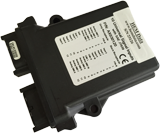
The WiFi transmitter and antenna are conveniently located within the Mini Logger. The 802.11 b, g and n standards are supported. WiFi is an excellent way to automatically transmit the vehicle data whenever the vehicle is within range of a designated WiFi hotspot. For more information on hotspot alternatives see the bottom of this page.
The WiFi hotspot could be part of your company’s local area network (LAN), a specifically installed WiFi hotspot with cellular connectivity provided by a cellular provider, or a 3rd party WiFi hotspot.
The WiFi hotspot could be at a fixed location such as a depot or office. The advantage is that many vehicles can share one hotspot.
If the hotspot is in the vehicle, then real-time data is possible, and any other devices in the vehicle can share this hotspot.
Cellular
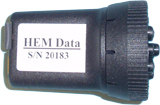
The OBD Mini logger has an optional internal modem and internal GPS receiver. The logger fits in the palm of your hand with no external antennas!
The modem supports GSM (AT&T & T-Mobile and Rogers in Canada). There is worldwide support for the GSM standard. The OBD Mini Logger acquires data from both light duty and heavy duty vehicles. The latter requires a J1939 adapter cable that HEM Data provides.
Bluetooth
Check with HEM Data for availability of Bluetooth support. WiFi has a much higher transfer rate so this is recommended for most of our customers.
WiFi Hotspots
The WiFi hotspot devices range from relatively inexpensive devices (around $50) from cellular carriers to more rugged devices from a variety of suppliers. Most hotspots work up to about 150ft (45m), but powered antenna’s and repeaters (extenders) can extend this range. Check with HEM Data if you need help selecting a hotspot device. info@hemdata.com