HEM Data will update the app for J1979-2 by January 2027. Make sure you have the latest app at that time. The majority of iPads/iPhones automatically update their apps. The new version will be v2.0 in January.
If you purchased the Mini Streamer before 2026 (and it uses the old WiFI password), you will need to update to the latest firmware. We recommend doing this ahead of time. You can use a laptop or the iOS device you are running the app on.
Check your current firmware to see if an update is required
- Plug your Mini Streamer into any vehicle to power it. The vehicle ignition should be off.
- Make sure you are connected to the IOSiX ELD WiFi (Mini Streamer).
- Go to this webpage: http://192.168.4.1
- The firmware Version should appear as 337. If you have 366, you have the latest firmware and can stop here.
- Copy the Serial number from this webpage to use in the next section.
To download the latest firmware
- Go to https://dashboard.hemdata.com/firmware/
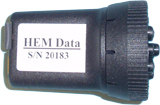
- Enter the 12-digit serial number from the side of the Mini Streamer. (This is the same number from step 5 above.)
- Press Download Firmware once. The download takes a few seconds. (The firmware will download to the iPhone “Files”)
Apply latest firmware
- Plug in the streamer with the vehicle off.
- Go to http://192.168.4.1 in a web browser.
- Chose the firmware File from “Files”
- Enter the Key, 123456
- Press Send File. This normally takes about 15 seconds.
- If the page does not return a success message, start over at step 2.
New WiFi password
- The WiFi password will have changed. Go to dashboard.hemdata.com/wifi to find the new password.
- Enter the 12-digit serial number from the side of the Mini Streamer and press Show Password.
- Use Copy Password to copy the password.
- Reconnect to the ELD WiFi with the new password. You are now ready to use the latest firmware.